Why they exist
Ghost has no way to represent a paid member without a Stripe subscription behind them. What it has instead is comped, its own word for a complimentary paid membership.
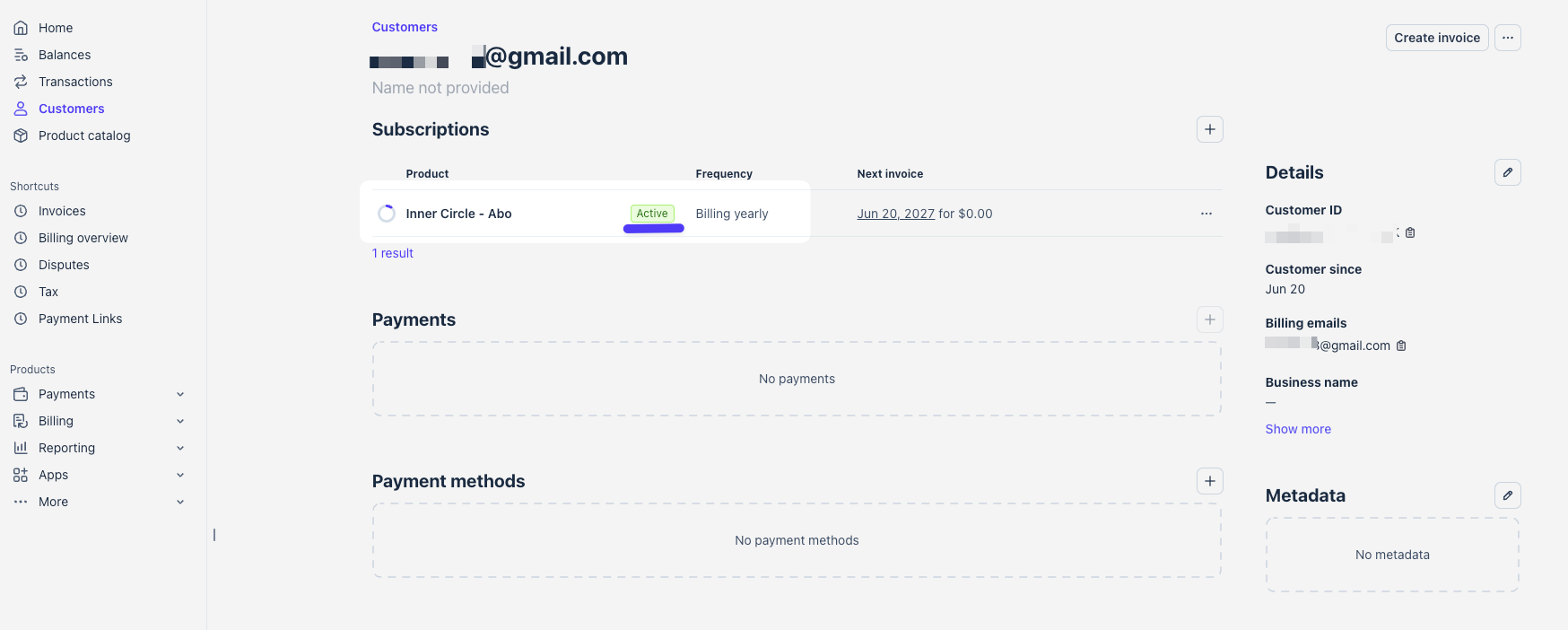
Marking a member comped is what makes Ghost treat them as paid, so native gating, tiers and the portal all behave normally. On a site with Stripe connected, Ghost implements that by creating a real subscription object in Stripe for a zero amount.
So every member PayGlue grants access to shows up in your Stripe dashboard as a customer with an active subscription, no payments and no payment method on file.
This only happens when Stripe is connected in Ghost. Without a connection, PayGlue uses a label instead and your Stripe account never hears about it.
They need a paid tier to exist
Ghost attaches the zero-amount subscription to your default paid tier. A site that has Stripe connected but only the free tier has nothing to attach it to, and Ghost refuses the comped flag with Could not find Product "default". PayGlue then reports every purchase for that site as failed, and the member exists in Ghost as a free member carrying the PayGlue labels but no access.
If that is your setup, create one paid tier in Ghost under Settings, Membership, Tiers. Its price does not matter, because nobody is charged through it. Then replay the failed events from Analytics, Webhook Events.
They cost nothing
There is no charge and no payment method attached, so there is nothing to bill. Stripe’s pricing is per transaction and a zero-amount subscription never produces one.
They do count in Stripe’s own subscriber figures, so Stripe is not a reliable picture of your revenue when you sell through another provider.
When a membership ends
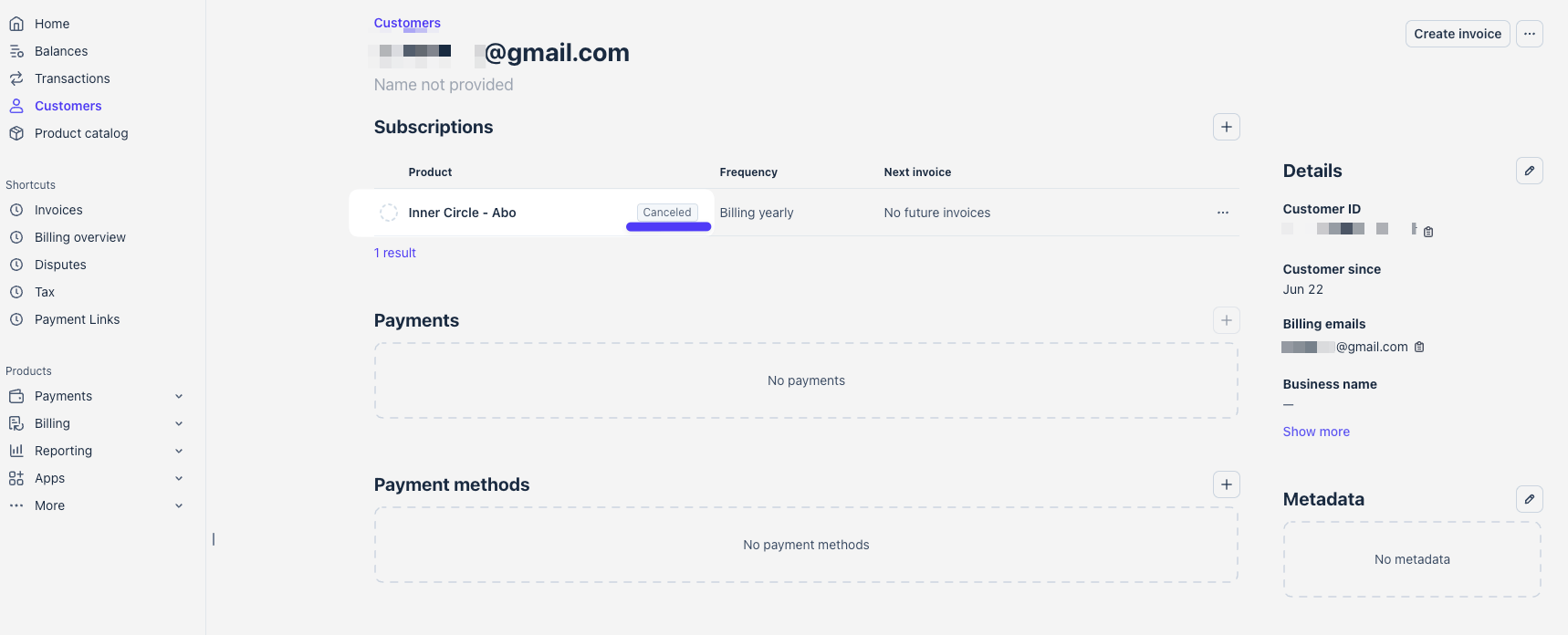
The zero-amount subscription follows the member. When the provider reports the cancellation, PayGlue switches the comped flag off and cancels the subscription through Ghost’s Admin API, so it moves to Canceled and the member drops back to free. Ghost does not do that on its own when the flag changes, which is why PayGlue sends the cancellation explicitly.
In Ghost Admin the member then looks like this: the status label has switched to payglue-ended, the note carries the date of the ending next to the purchase, and the Complimentary subscription shows as canceled with the tier it was attached to.
The one place it needs attention
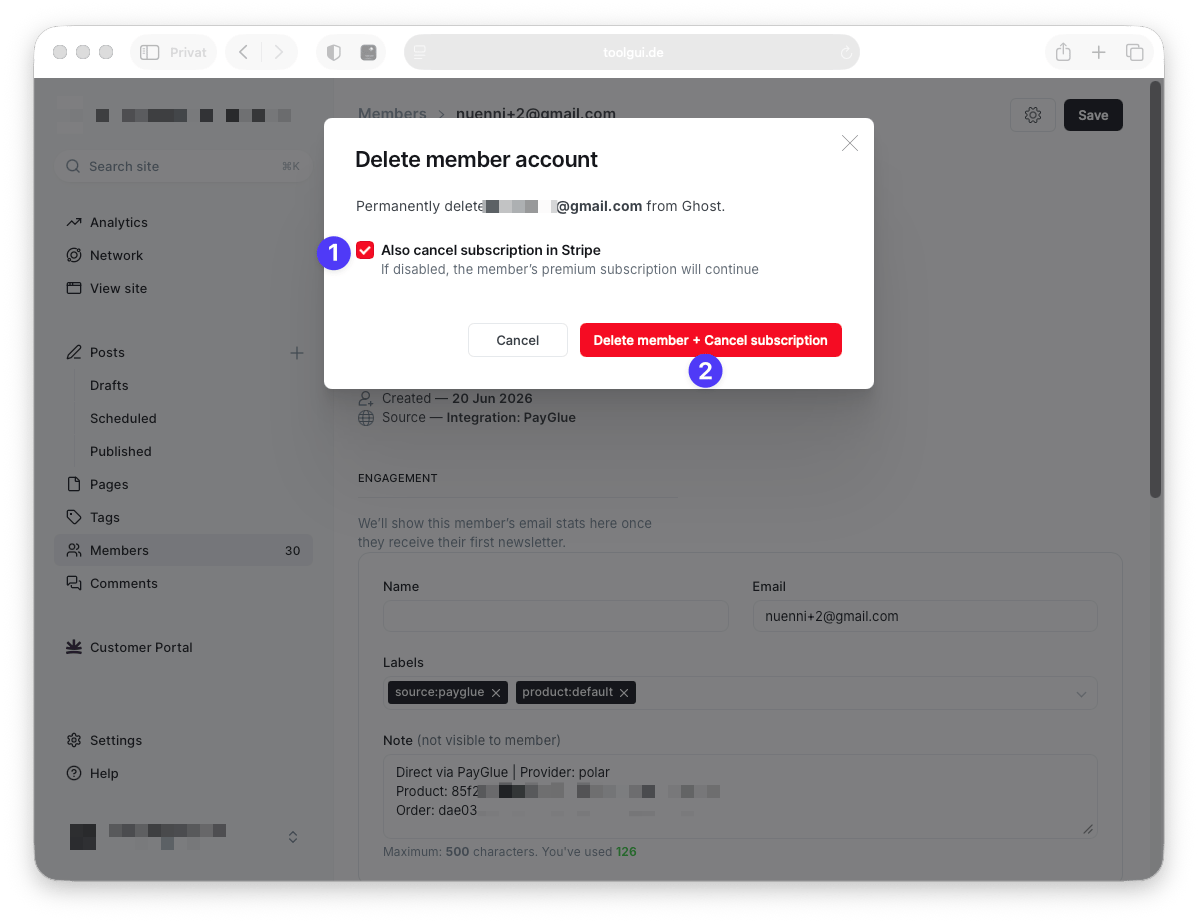
Deleting a member in Ghost.
The delete dialog carries a checkbox offering to also cancel the subscription in Stripe, and the confirm button changes to match. Leave it ticked and both go. Clear it and the member is deleted while the zero-amount subscription stays in Stripe with nobody attached to it.
Orphaned subscriptions are harmless, but they accumulate. To clear one, cancel it in Stripe directly once you have confirmed the member no longer exists in Ghost.
Do not cancel the zero-amount subscription in Stripe to remove somebody’s access. Access comes from the Ghost member’s state and labels, and cancelling only in Stripe leaves the two out of step. Cancel at the provider that sold to them, or remove the access on the member.
What to tell members
Nothing, in most cases. This is visible to you in Stripe and in Ghost Admin, not to the reader.
If a member does ask about their billing, the answer is that their subscription is handled by the provider they bought from rather than by your site, and that is also where they can change or cancel it.
All of this applies only when a Stripe account is connected in Ghost, because that is the case where PayGlue marks members as comped. With no Stripe connection, access is carried by a label instead and there is no subscription for Ghost to create.
See also: Do I need Stripe?.