Prerequisites
- A Polar account at polar.sh
- At least one product created in Polar
Steps
1
Add Polar as provider in PayGlue
In your PayGlue dashboard, go to Connection > Polar and follow the steps.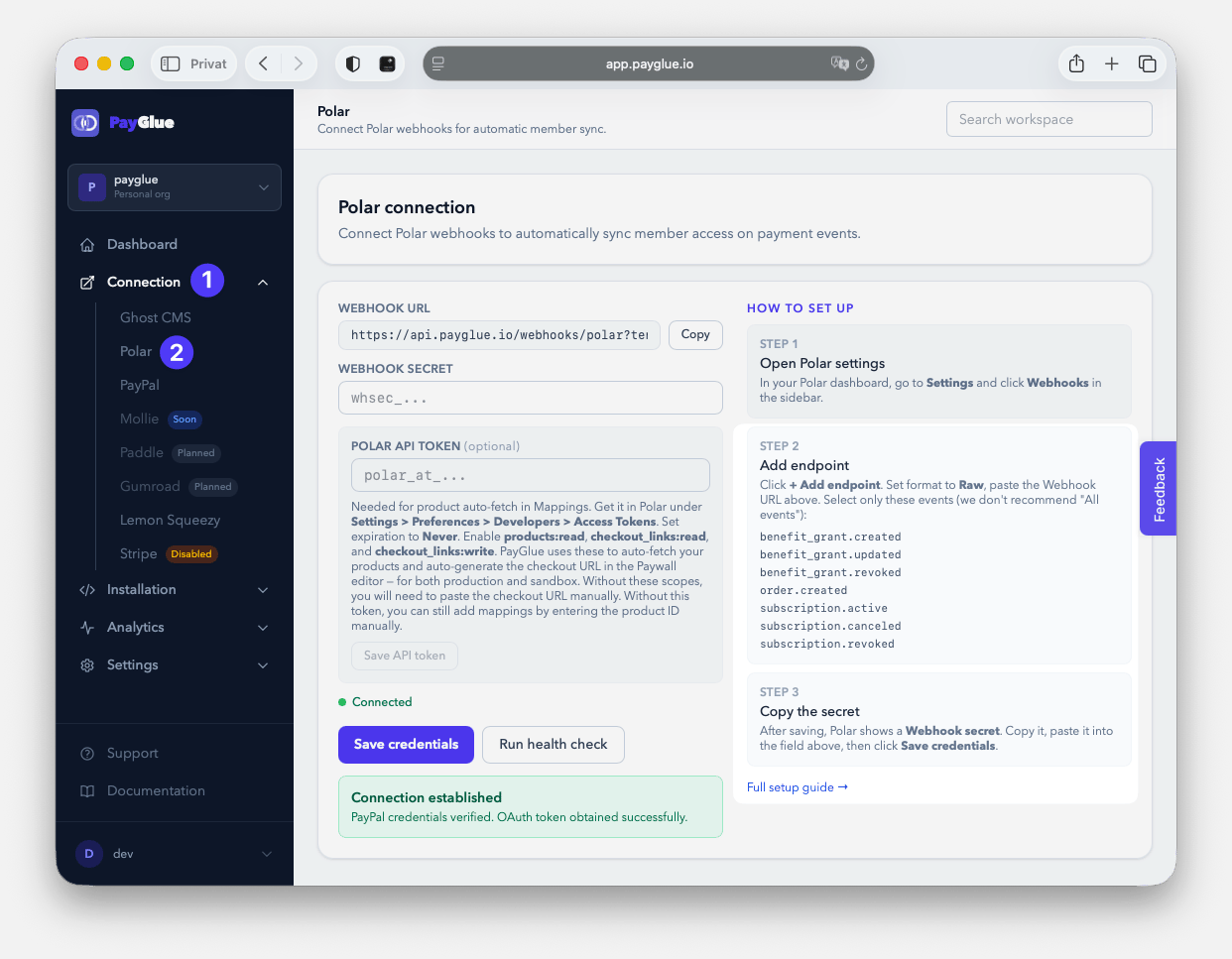
2
Create a Webhook Endpoint in Polar
In Polar, go to Settings > Webhooks > Add Endpoint and create a new Webhook. Paste the webhook URL from your PayGlue connection page, set Format to Raw, set API Version to 2026-04, set expiration to Never, and select the required events.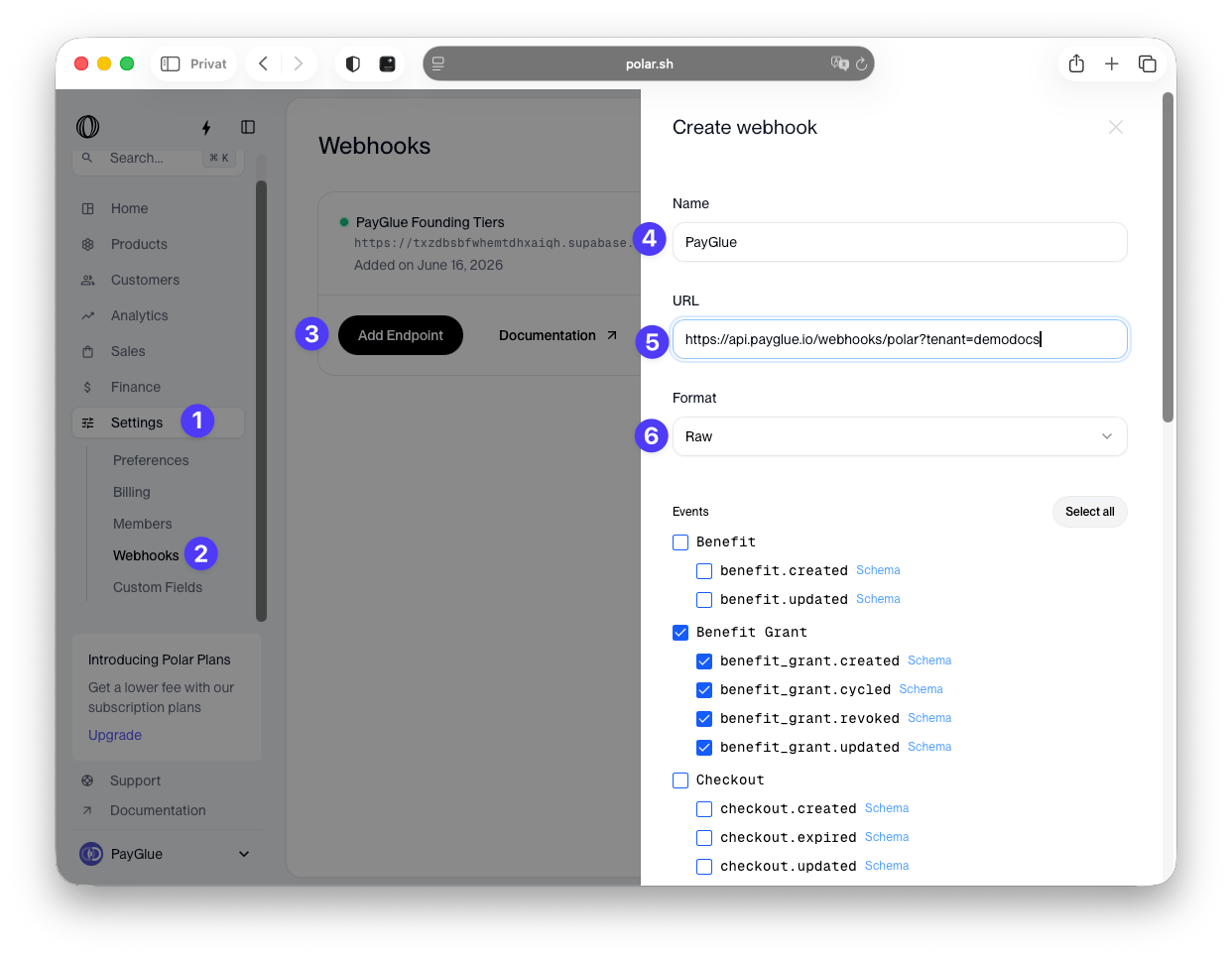
Polar asks for an API Version when you create the endpoint and offers
2026-04 and 2026-10. Pick 2026-04. That is the version PayGlue was built and tested against. The events PayGlue reads carry the same fields in both versions, so 2026-10 works as well, but 2026-04 is the one we verify every delivery against.3
Copy your Webhook Secret
After saving the endpoint, you get a webhook secret from polar. We need this secret to communicate safely with Polar to add new member to your ghost blog.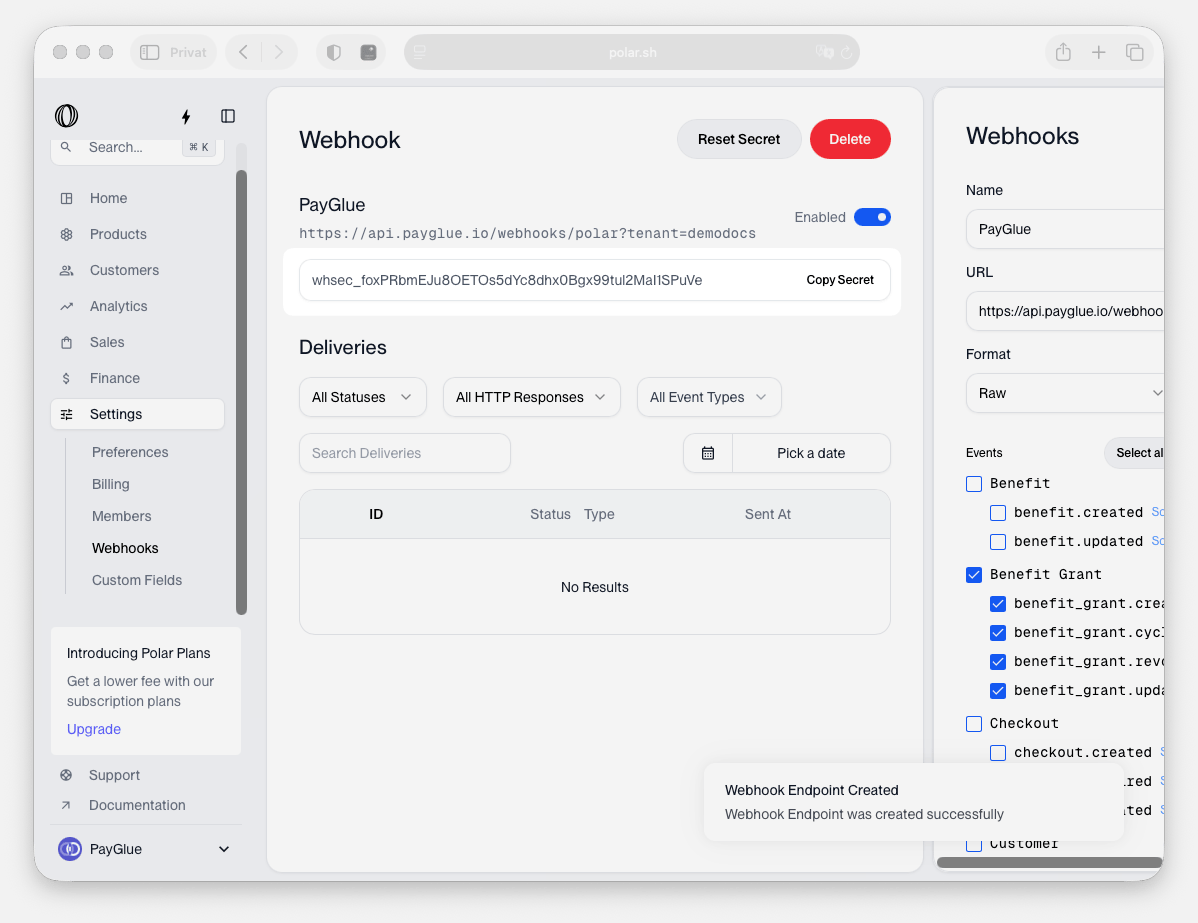
4
Optional: Create an API Token in Polar
In Polar, go to Settings > Preferences > Developers and create a new API token. Set expiration to Never and enable the required scopes.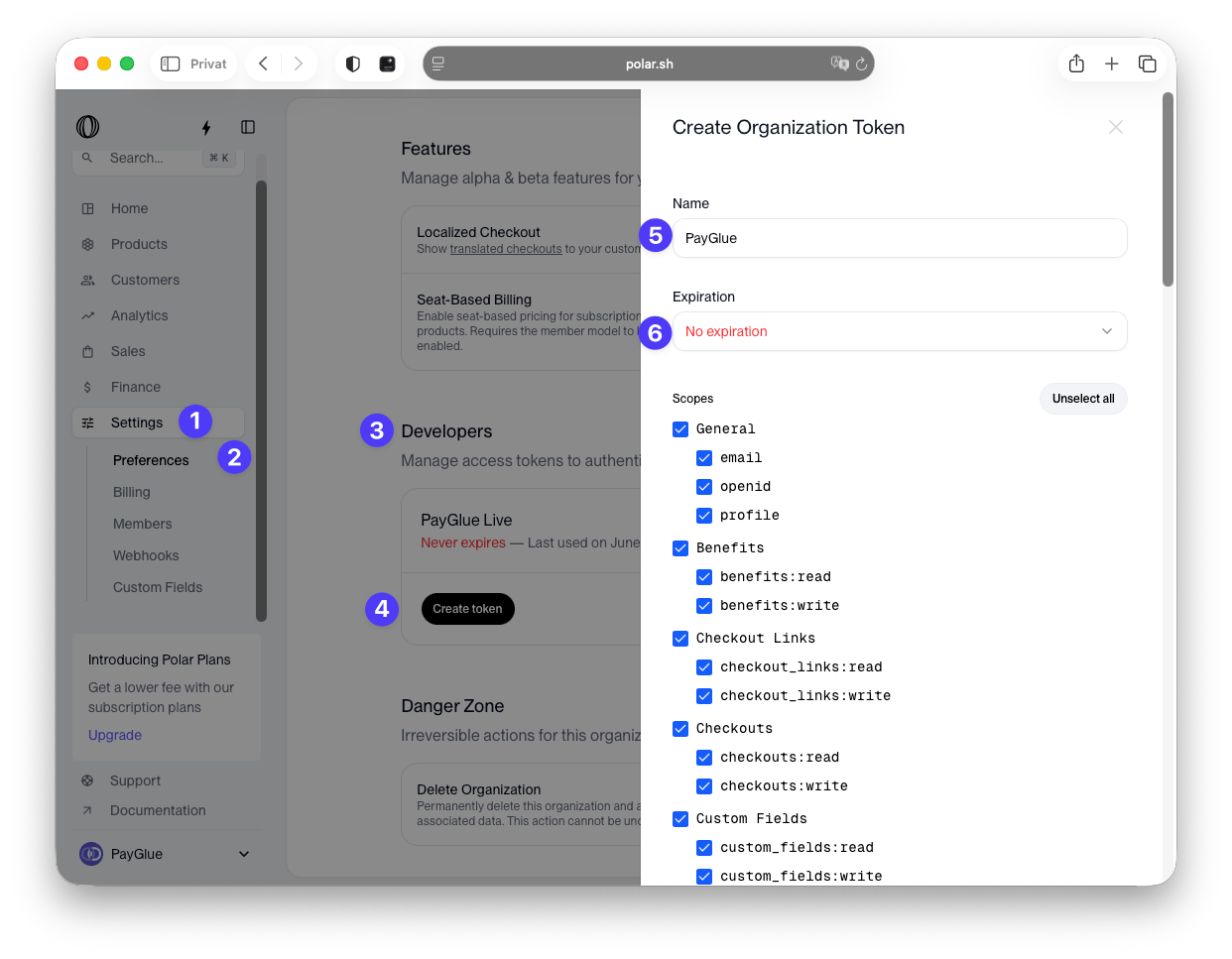
5
Add your webhook secret & (optional) API Token
In your PayGlue dashboard, go to Connection > Polar and paste your secret & token.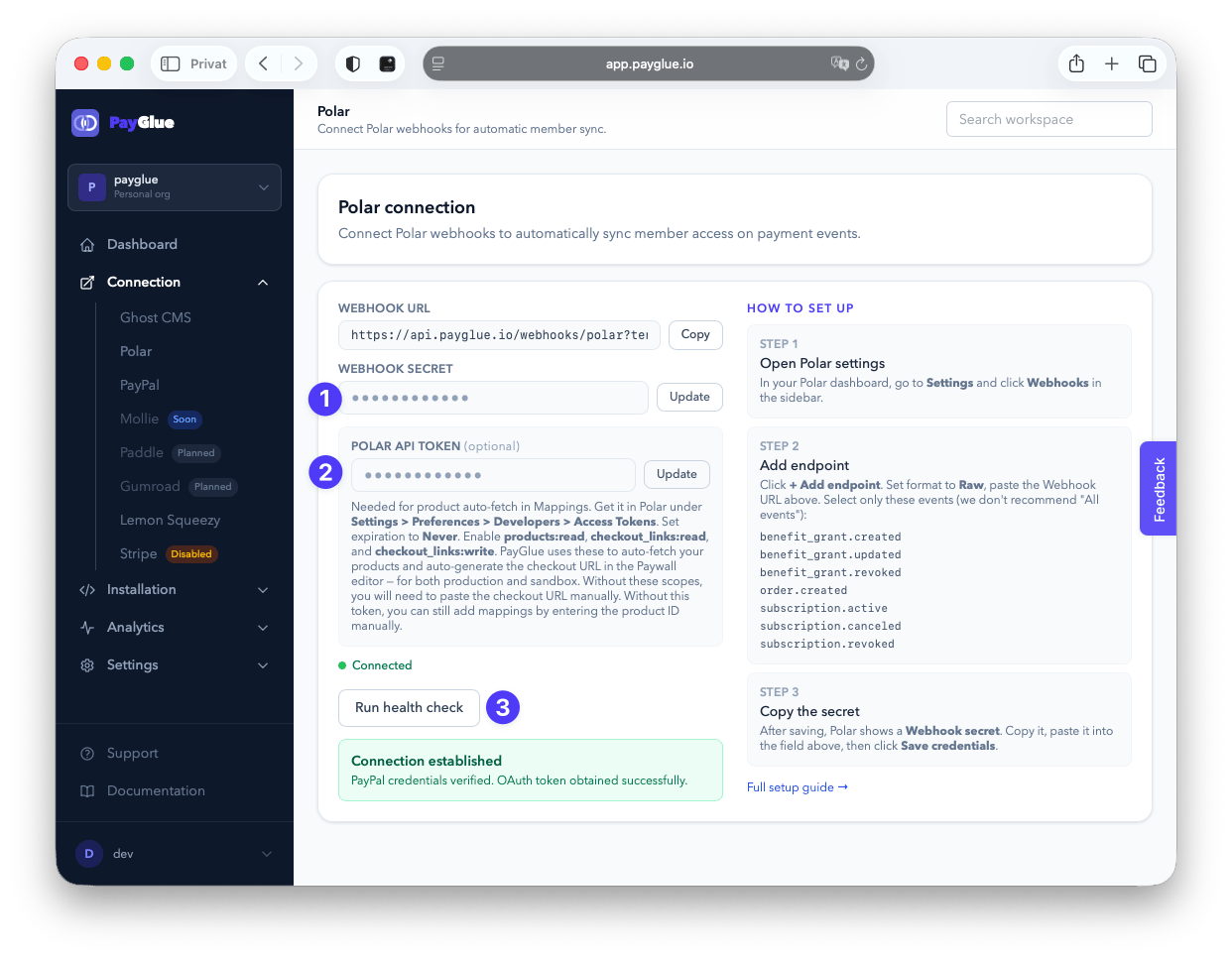
6
Run a health check
When everything works as expected, you get a green status indicator for Connection Established.
7
Create a test and see if auto-fetch works
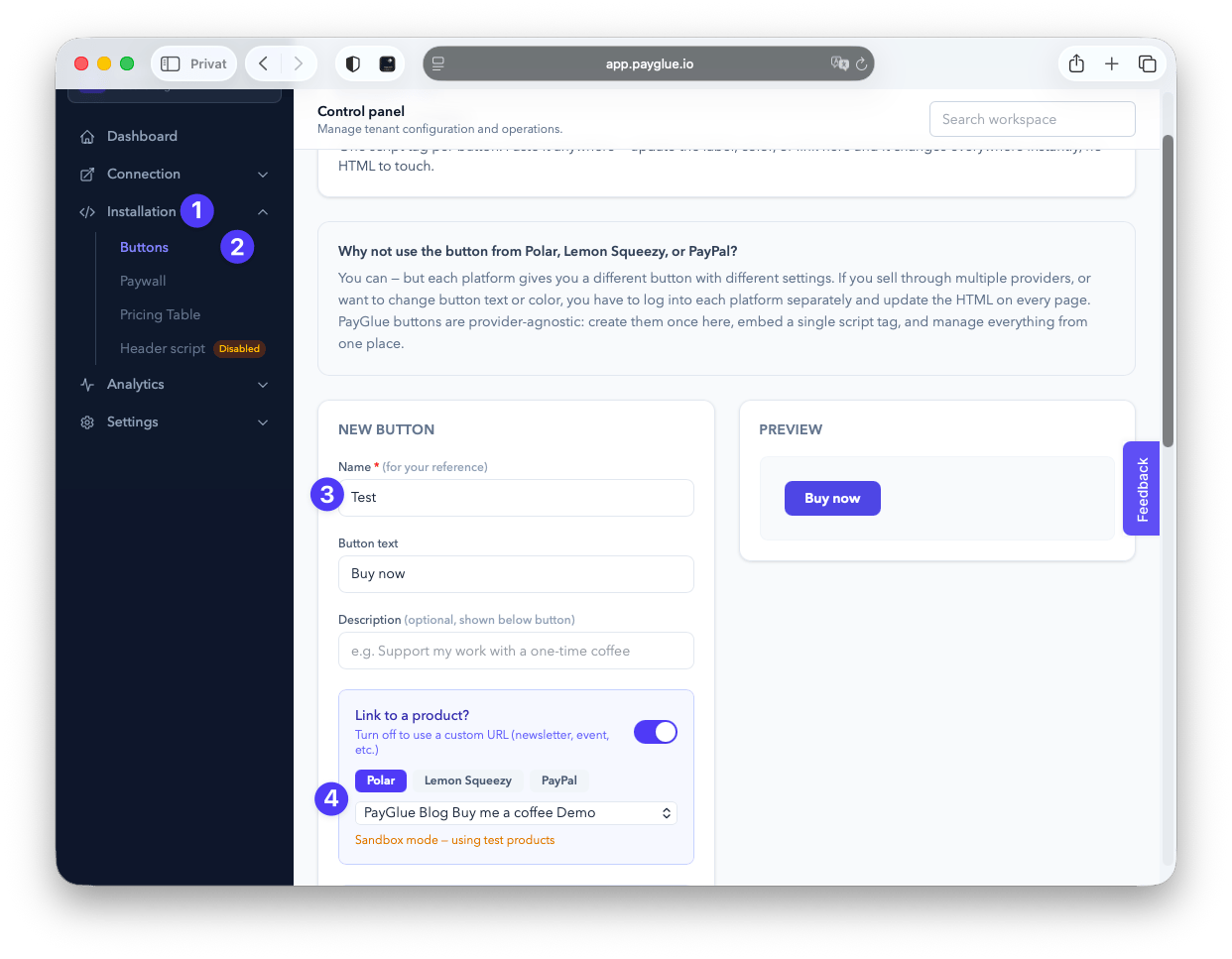
In your PayGlue dashboard, go to Installation > Button. Choose Polar and link to a product to auto-fetch your products.