
The short answer

Ghost’s built-in membership system is tightly coupled to Stripe. Even when your customers pay through Polar or another provider, Ghost itself wants a Stripe account connected before it unlocks its membership features.
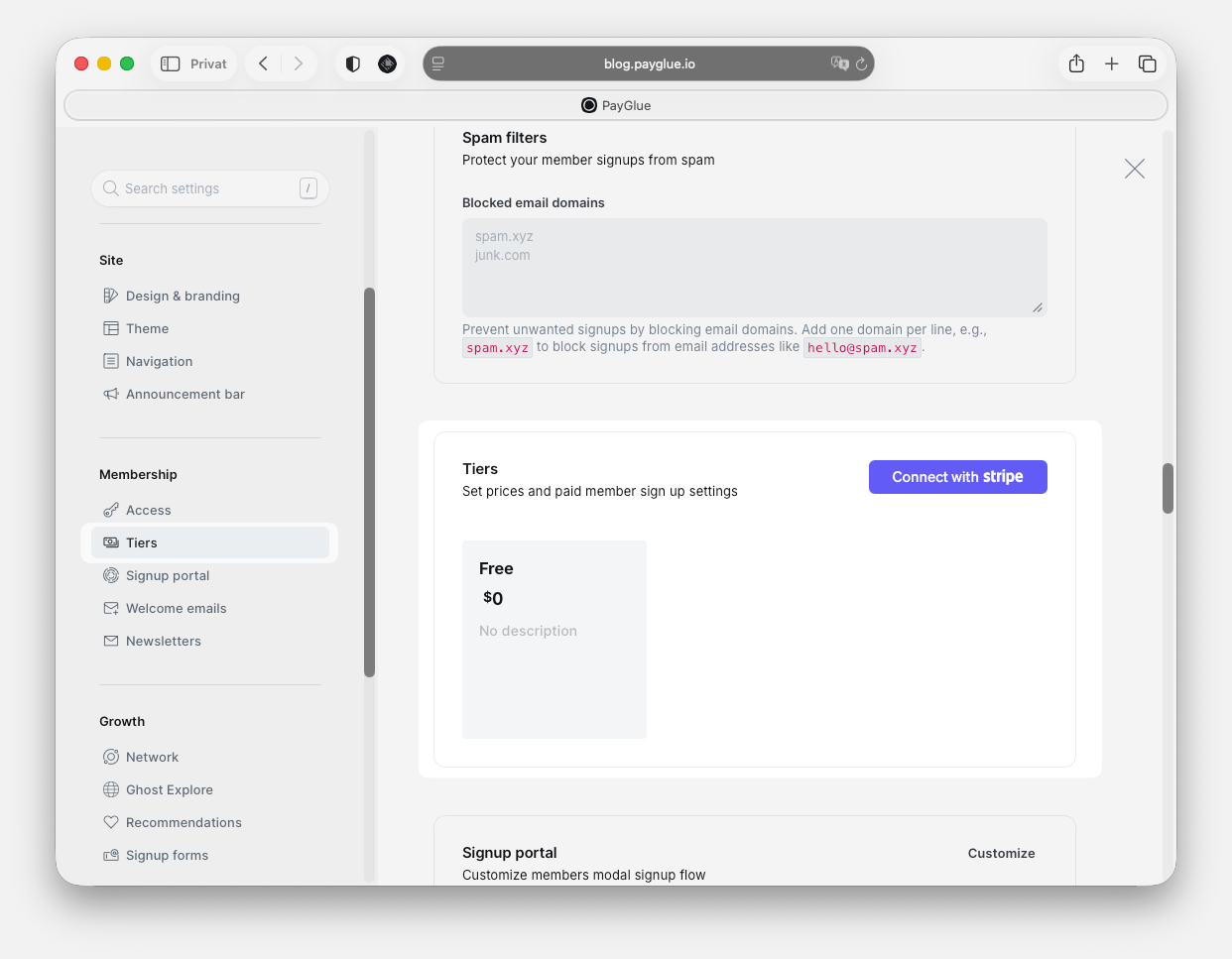
Ghost Why Stripe
PayGlue bypasses Ghost’s native payment flow entirely. When a customer pays through your chosen provider, PayGlue creates or updates their Ghost membership directly through the Ghost Admin API, with no Stripe charge involved. How the resulting membership is recorded depends on one thing: whether a Stripe account is connected to your Ghost site. Both cases work, and they behave differently enough to be worth knowing before you build on either.
Two payment paths feeding one Ghost member list. Stripe subscribers go through Ghost's own billing; buyers at another provider go through PayGlue and the Ghost Admin API. The member list is then protected either by Ghost's own visibility settings or by the PayGlue paywall overlay.

Case 1: Stripe alongside PayGlue

If you have a Stripe account, or can open one, connect it to Ghost and leave it there.
  1. Connect any Stripe account to Ghost. It does not need to process real payments.
  2. Connect your actual payment provider to PayGlue.
  3. PayGlue handles the rest.
Members created by PayGlue are then marked comped in Ghost, which is Ghost’s own term for a complimentary paid membership. They count as paid members, so Ghost’s native gating, tiers and portal all behave normally.
Switching your gate to the PayGlue Paywall keeps your existing subscribers. The Paywall recognises all three states: a paid Ghost subscription, comped status, and the payglue-active label. Nothing needs preparing before you move a post across.
With this setup you keep your existing Stripe subscriptions running untouched and add whatever the other providers do better: one-time payments, pay-what-you-want, a provider that reaches customers Stripe cannot. Both paths write to the same Ghost member list and never conflict over the same person.

Case 2: no Stripe account at all

If Stripe does not operate in your country, you cannot connect an idle account either, and this is the case most advice on the subject skips. It still works. Ghost will not accept a paid or comped status without Stripe connected, so PayGlue creates the buyer as a free member carrying a payglue-active label that records their access. The PayGlue paywall script checks that label instead of relying on Ghost’s own gating. This is what that member looks like in Ghost Admin. payglue-active is the access itself, payglue-provider records who took the payment, and the note carries the product and order id for when you need to trace a purchase back.
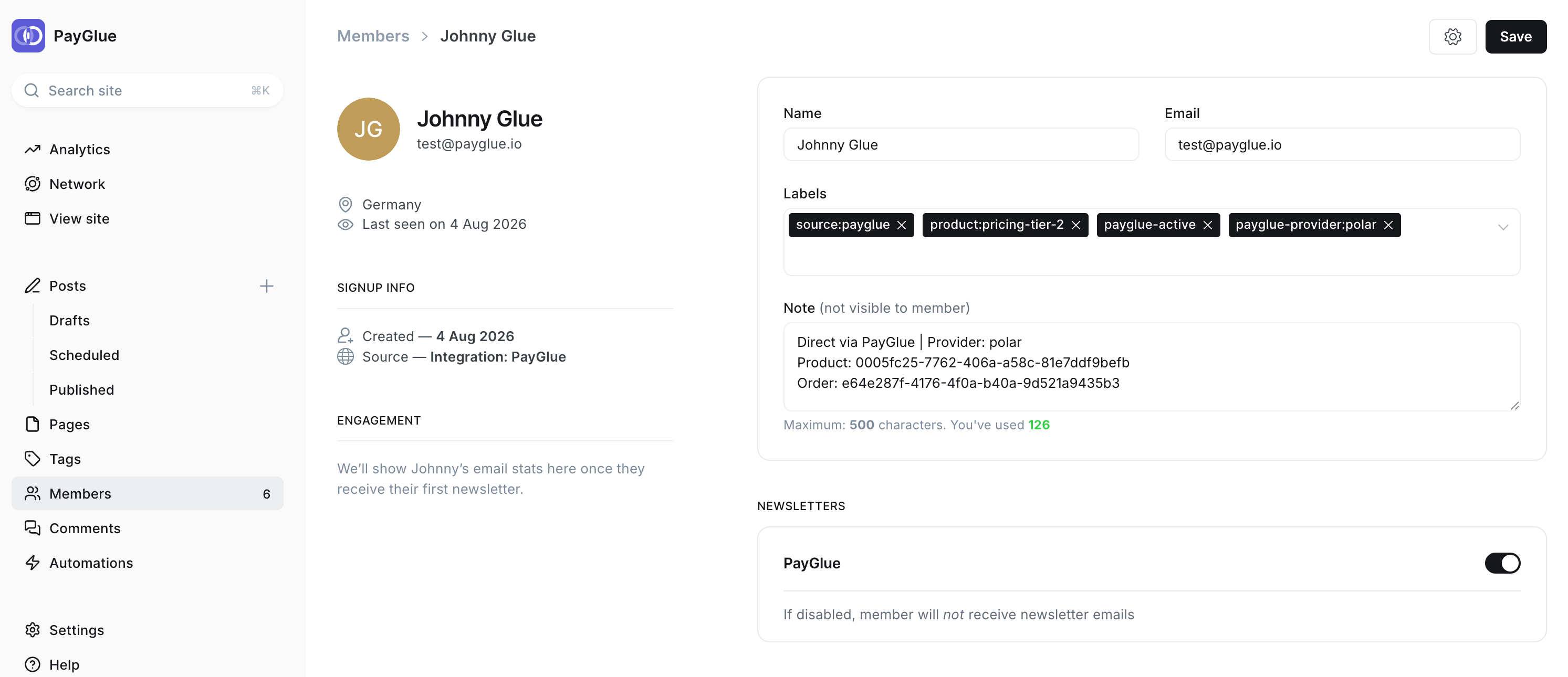
A member in Ghost Admin created by PayGlue, carrying four labels: source:payglue, product:pricing-tier-2, payglue-active and payglue-provider:polar. The note records the provider, product and order id.
Purchases grant access and cancellations revoke it exactly as in case 1. What changes is which piece of software decides whether a given post opens. Two consequences follow, and both are worth knowing before you build on this. The header script has to be installed. It goes into Ghost Admin under Settings > Code Injection > Site Header, once, and it never changes. The same script powers the Paywall, Buy Buttons and Pricing Table together, so this is a single step rather than one per feature. You will find it in your PayGlue dashboard under Installation > Header script. Ghost’s own visibility must stay Public on any post using a PayGlue Paywall. If Ghost restricts the post itself, it blocks the visitor before the script can run, and they see a Ghost login wall rather than your overlay. PayGlue handles the access decision; Ghost must not also try to.
The Paywall is a soft gate. It is client-side, so a technically capable visitor can use browser DevTools to read the hidden content without paying. That is a reasonable trade for posts, newsletter archives and community content. It is the wrong tool for credentials, personal data, or anything where a determined reader getting through would actually matter. More on this.

Which case applies to you

See also: Ghost shows a Stripe cancellation notice, which applies to case 1 only.